Shovel in lanes, not circles
Snow clears in the shape you sweep. Long straight passes open a path you can walk and come back along, while spinning on the spot leaves a bowl you have to dig out twice.
Free browser demo · 30–40 minutes
A cozy first-person incremental game about shovelling a snow-buried Lapland village back to life. It runs right here in the page — no download, no install.
Clearing the square… loading the game
Free demo · plays in your browser · Mac too
A village called Valcandil, one shovel, one very long polar night.
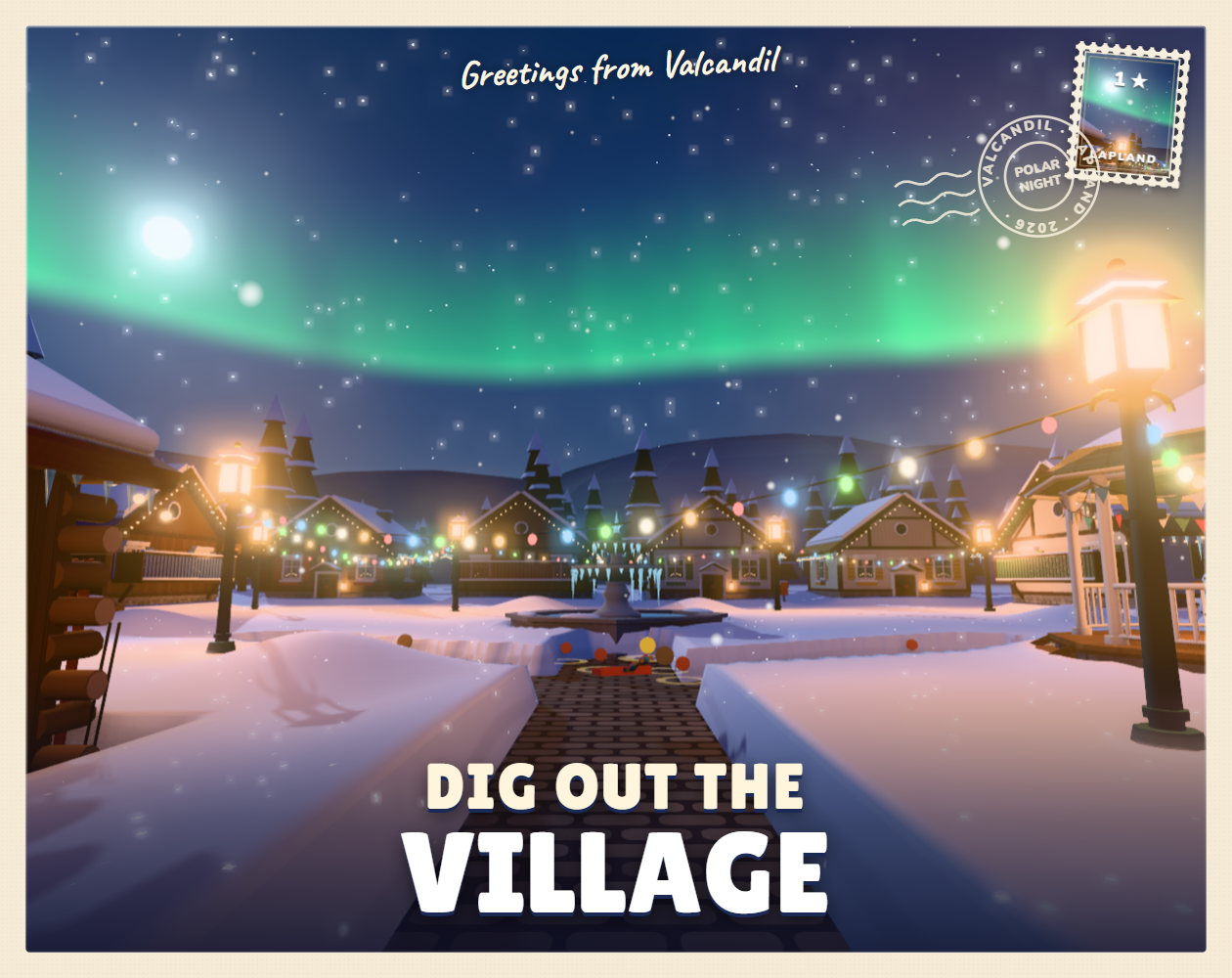
Dig Out the Village is a cozy first-person incremental game by solo developer wildgg. A blizzard has buried the Lapland village of Valcandil up to its rooftops, and you arrive with nothing but your grandpa’s old shovel. You start by clearing the square, then dig tunnels down to the streets that vanished under the drifts, and the village slowly answers back: windows light up, neighbours come home, and the northern lights move over the roofs.
The whole loop is physical. Snow gives way when you shovel it, packed snow takes longer, and solid ice has to be broken before you can get through. What you clear stays cleared, which is why the game feels less like a chore and more like watching a place wake up. The free demo takes most people about 30 to 40 minutes to finish, so it is one sitting, not a commitment.
It also arrived fast: the demo only started spreading on TikTok and Reddit in mid-November 2026, which is why most of what you can find about Dig Out the Village right now is a video and a comment thread. This page exists to change that — the game is up top, and everything players ask about it is below.
Five things happen in order, and the demo never really explains them. Here they are.
The demo drops you in front of the buried village square with grandpa’s shovel. Before you go anywhere, shovel the open ground in front of you: it is where the first tunnels start, and it is the only place where the game teaches you how snow behaves.
Once the square is open, the buried streets are below the snow line. Dig down and follow them instead of clearing snow at random — a tunnel that reaches a street reconnects a whole row of houses at once, which is where the village starts to come back.
Deep snow gives way to your shovel; solid ice does not. Ice is the gate between areas of the demo, so when progress stops, look for a sheet of ice rather than more snow. Breaking through is what opens the next stretch of the village.
Grandpa’s workshop is where tools get upgraded (his cat keeps you company while you do it). Upgrading early pays for itself: faster shovelling means every later stretch of snow costs you less time, so resist saving everything for the end of the demo.
The finish line is visual: windows light up, neighbours come home, the northern lights come out over the rooftops. Treasures sit under the snow along the way, so sweep the pockets of a street before you leave it — once you have walked away, it is easy to forget which corner you skipped.
This is a first-person game, so it wants a keyboard and a mouse: you move and look around, and you shovel with the mouse. The demo shows its own key hints on the first screen, so follow those rather than a list written by someone else. On a phone the page will load and the game may start, but there is no touch control scheme — the browser demo is made for a desktop or laptop, on Windows or Mac.
Nothing here is a secret; it is the stuff that is easy to do in the wrong order.
Snow clears in the shape you sweep. Long straight passes open a path you can walk and come back along, while spinning on the spot leaves a bowl you have to dig out twice.
When the snow around you runs out, the ice is telling you the demo wants you somewhere new. Break it and keep going instead of tidying up snow you have already cleared.
A tool upgrade in grandpa’s workshop changes every minute after it. Buying one early is worth more than clearing one extra street with the starting shovel.
Thirty to forty minutes is the whole free demo, and the last stretch (lit windows, aurora, the village alive again) is the part the videos never show. Play to the lights before deciding about Early Access.
Same game, two very different amounts of Lapland. Both are on itch.io.
| What | Free browser demo | Early Access |
|---|---|---|
| Price | Free | Paid, once — every future update included |
| Where it runs | Right here in the browser, Mac included | Windows build on itch.io |
| How long | About 30–40 minutes | The full 150 km of Lapland |
| What is in it | The buried village, snow and ice, grandpa’s workshop, treasures, the polar night | Everything in the demo plus snowploughs, huskies and the train north |
| Steam | — | Buyers get the Steam version when it launches; it is not out yet |
If you only have ten minutes, play the demo here and stop reading. If you finished it and want the rest of the map, Early Access is the version with the ploughs, the dogs and the train — and it is the same purchase that will turn into a Steam key later.
The questions that come up in every comment thread about the demo.
The page opens on a phone, but Dig Out the Village is a first-person game controlled with a keyboard and mouse, and the demo has no touch controls. Play it on a desktop or laptop — Windows or Mac both work. On a phone, the better use of your time is the video and the tips on this page.
No. The demo you see at the top of this page is the browser (HTML5) build hosted on itch.io, so it loads inside the page. There is also a Windows download on the official itch.io page, but you do not need it to try the game here.
The demo is free. The Early Access version on itch.io is paid, bought once, and it includes every update from then on — including the Steam version when that launches.
About 30 to 40 minutes, which is the length the developer quotes. It is built as one sitting rather than a long campaign.
Treat the demo as one continuous run. It plays inside a browser tab, so keep the tab open while you are digging; if you refresh, expect to start from the village square again.
The game is served from itch.io inside a frame. Refresh the page once, make sure a content blocker is not blocking third-party frames, and if it still will not start, open the game directly on its itch.io page — the same demo is there.
No. This is a fan-made guide written by players; the game is made by the solo developer wildgg and published on itch.io. Every fact on this page comes from the official game page and public player threads.
Not yet. Early Access is a Windows build on itch.io for now, and the developer says buyers get the Steam version once it launches.
No comments yet — be the first. Stuck on a patch of ice, or found every treasure? Leave a tip for the next player. Comments are moderated, so they may take a moment to show up.